← All apps
Utilities / AVAILABLE ON ANDROID
AnyDown: Video Downloader
The right clip. The right format.
Save video and audio from supported links. Choose an available quality, extract audio, trim just the part you want, and keep track of downloads in one organised place.
Get it on Google PlayOfficial Google Play listing · Device and regional availability may vary.
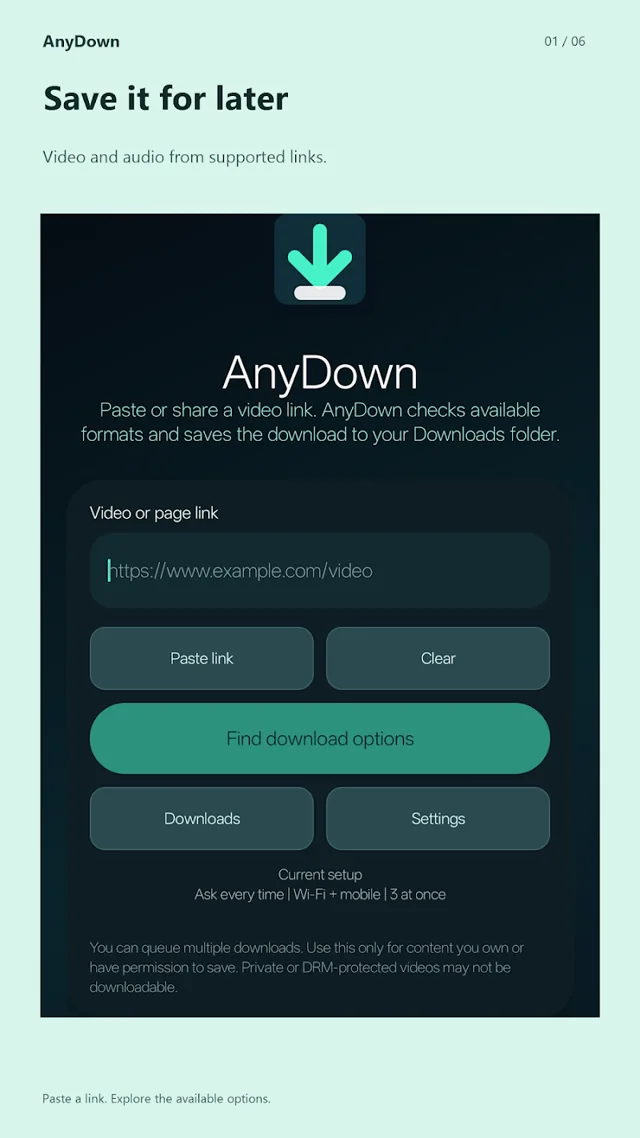 Google Play listing preview
BUILT AROUND YOU
Save it for later. Your way.
Trim visually or enter precise start and end times
Manage concurrent and background downloads
Open, share and organise your saved media
THREE WAYS TO FIND YOUR FLOW
Small steps.
More possibilities.
See what you can do with AnyDown.
Choose a step to take a closer look.
FEATURE 01 / 03
Choose your format
Start with a supported link. Pick from the available video qualities, save an audio stream or extract the sound.
Discover it on Google Play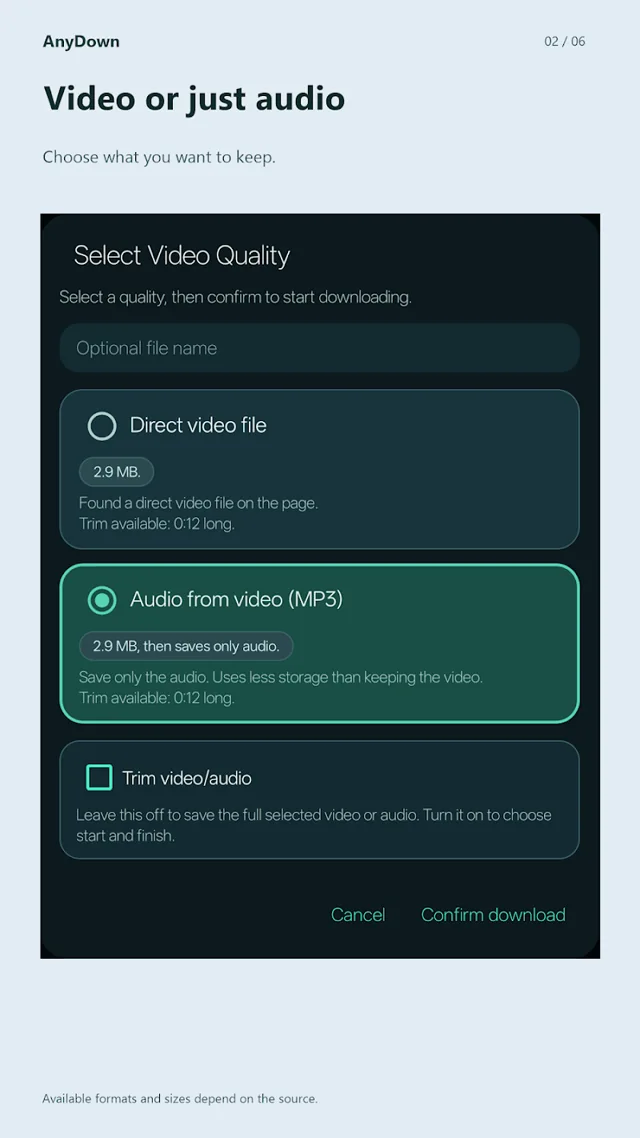 Google Play listing preview
FEATURE 02 / 03
Keep the best part
When a duration is available, trim visually or enter precise start and finish times. Save the whole file or just the section you need.
Discover it on Google Play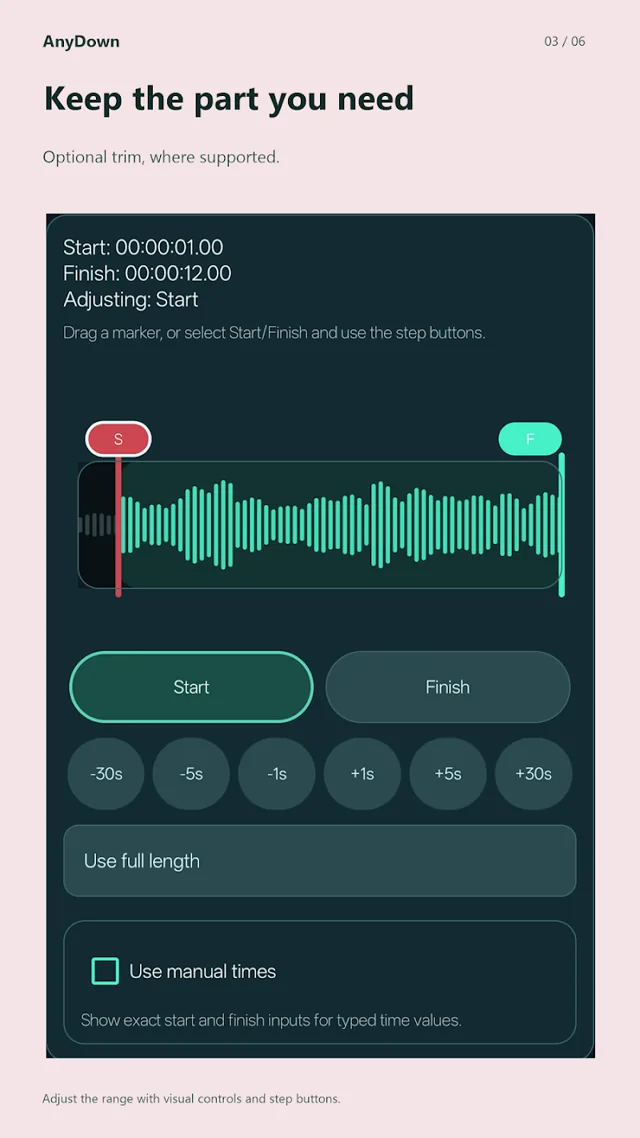 Google Play listing preview
FEATURE 03 / 03
Take it with you
Follow downloads in the background, then find, open and share your saved media in one place. Only save content you have permission to download.
Discover it on Google Play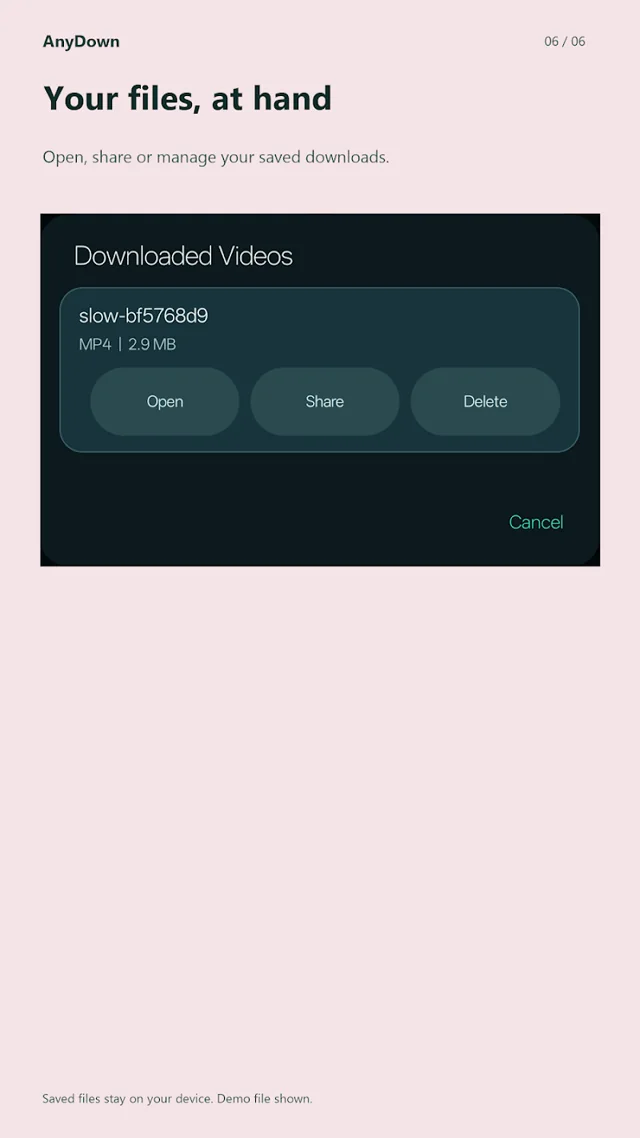 Google Play listing preview
TAKE A CLOSER LOOK
A peek inside AnyDown.
Previews from the official Google Play listing.
Tap any image to enlarge.
Good to know
Contains ads. Availability depends on the source. Download only content you own or have permission to save. Does not bypass DRM or protected playback.
MORE FROM THE STUDIO